Where do your fingers go on the home row?
The home row is the middle row of letter keys, where your fingers rest between keystrokes. Here is where each finger sits, which keys it reaches, and how the position changes on AZERTY, Dvorak and the numeric keypad.
- Published: 20 October 2026
- Editorial guide
- By Editorial Desk
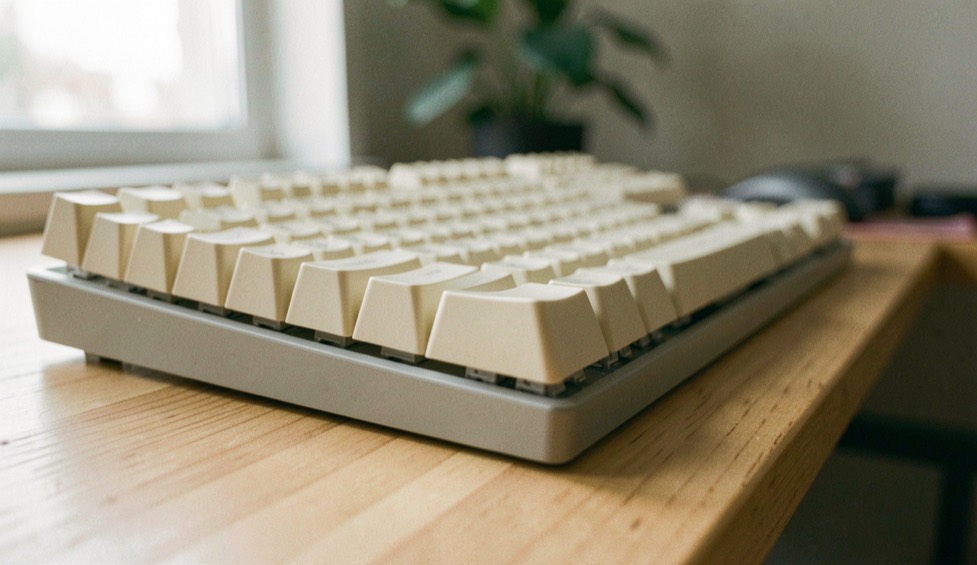
The home row is the middle row of letter keys on a keyboard. On a QWERTY layout your left fingers rest on A, S, D and F, your right fingers on J, K, L and the semicolon, and both thumbs hover over the space bar. Each finger owns a short, slanted column of keys above and below its resting key, and comes back to it after every stroke. The small ridges on F and J let you find this position by touch.
What is the home row, and why is it called that?
A keyboard has three rows of letters. The top row runs from Q to P, the bottom row from Z to the slash, and the home row sits between them, from A to the semicolon. The eight keys where the fingers rest, A, S, D and F on the left and J, K, L and the semicolon on the right, are the home keys. G and H belong to the same row but are not resting keys: the index fingers slide inwards to reach them, then slide back.
The name describes a habit. Typists are trained to keep their fingers on these keys and to return to them after pressing any other key, so the row is where the hands live. Frank E. McGurrin, a court stenographer from Salt Lake City, is reported to have invented home row touch typing in 1888, and on 25 July that year he won a typing contest in Cincinnati against Louis Traub. The encyclopedia entry on the history and methods of touch typing gathers these details with their sources.
How do you put your fingers in the home row position?
Getting into position takes a few seconds once you know the order. Start with the index fingers, because they have a marker to find.
- Feel for the raised ridges on F and J and rest your left and right index fingers on them.
- Let the other fingers fall onto their neighbours: middle, ring and little finger on D, S and A on the left, and on K, L and the semicolon on the right.
- Rest both thumbs lightly over the space bar.
- Curve the fingers slightly so that the fingertips touch the keys, and keep the wrists level instead of pressing them into the desk.
The ridges matter because your hands leave the keyboard all the time, for the mouse or the trackpad, and the markers bring them back to the same keys without a glance. Once the position feels natural, the next step is to use it as a reset point between reaches, which is what our guide to building accurate habits from the home row works on.
Which finger presses which key?
In the standard chart, each finger looks after one column of keys. Because keyboard rows are staggered, these columns lean: the key above a home key sits a little to the left, and the key below sits a little to the right. The index fingers do the most work, since each covers two columns, its own and the one next to it towards the middle. The little fingers take the outer edges.
| Finger | Rests on | Reaches up to | Reaches down to |
|---|---|---|---|
| Left little finger | A | Q | Z |
| Left ring finger | S | W | X |
| Left middle finger | D | E | C |
| Left index finger | F, and G by sliding inwards | R and T | V and B |
| Right index finger | J, and H by sliding inwards | Y and U | N and M |
| Right middle finger | K | I | Comma |
| Right ring finger | L | O | Full stop |
| Right little finger | Semicolon | P | Slash |
The control keys follow the same logic. The left little finger handles Tab, Caps Lock and the left Shift key; the right little finger handles the apostrophe, the brackets, Enter, Backspace and the right Shift key. For a capital letter, the usual technique is to hold Shift on the opposite side and strike the letter with the other hand: right Shift for a capital A, left Shift for a capital J. Punctuation sits mostly under the right hand, and those reaches are worth practising as moves of their own, as our notes on typing punctuation without losing rhythm describe.
Where do your fingers go on the number row?
The number row is where charts disagree. In the standard chart each finger keeps its column, so the digits sit above and slightly left of the top-row keys. The left little finger takes 1, the ring finger 2, the middle finger 3 and the index finger 4 and 5. On the right, the index finger takes 6 and 7, the middle finger 8, the ring finger 9, and the little finger 0 and every key to its right.
A second method, taught since at least the 1960s, moves the digits one key along: the left little finger takes 1 and 2, the ring finger 3, the middle finger 4 and the index finger 5 and 6, while the right index finger takes 7 and 8, the middle finger 9 and the ring finger 0. That is why the 6 key is the one people argue about, and why split ergonomic keyboards are divided either between 5 and 6 or between 6 and 7. Either method works if you keep to it. Digits are the longest reach from the home row, and short number-row drills with a deliberate return are a practical way to make your choice automatic.
Does the home row change on AZERTY, Dvorak or the numeric keypad?
The finger positions stay the same, but the letters under them change with the layout. On the French AZERTY keyboard the middle row reads Q, S, D, F, G, H, J, K, L, M: compared with QWERTY, A and Q swap places, and M takes the spot of the semicolon. The home keys are therefore Q, S, D and F for the left hand and J, K, L and M for the right.
The Dvorak layout, patented in 1936 by August Dvorak and his brother-in-law William Dealey, puts the vowels under the left hand, so its home row reads A, O, E, U, I, D, H, T, N, S. According to the letter-frequency figures quoted in the article on the Dvorak layout and its home row, about 70 per cent of keystrokes fall on the home row with Dvorak, against 32 per cent with QWERTY.
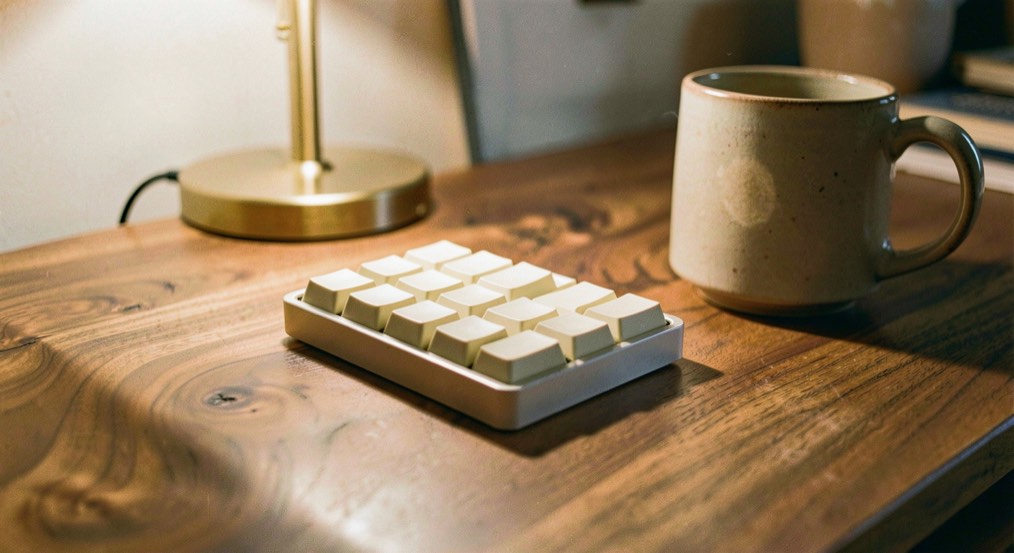
The numeric keypad has a home row of its own for the right hand. The index finger rests on 4, the middle finger on 5 and the ring finger on 6, and the 5 key may carry its own raised bar so that you can find it by feel. Unlike a telephone keypad, a computer keypad puts 7, 8 and 9 on its top row.
How do you know if your hands have drifted off the home row?
The clearest sign is a run of errors one key away from the target. If you type K when you meant J, or L when you meant K, across several words, the whole hand has usually slid one key sideways and every finger is off by the same amount. Touching the ridges on F and J at the start of each line, and after every trip to the mouse, prevents many of these errors.
A short check makes the position easier to trust. With your eyes on the screen, type a line made only of home row letters, such as “a sad lad asks dad”, “flask” and “glass”. Then type a line that forces reaches, such as “the quick brown fox”, and notice which finger hesitates. That key does not yet belong to a finger in your mind: give it a few slow repetitions with the correct finger, return home after each one, and try the line again tomorrow.
Questions readers ask about home row position
Which finger should press the 6 key?
It depends on the method. In the standard chart the right index finger presses 6 and 7; in a method taught since the 1960s the left index finger takes 5 and 6. Both are in use, so pick one and press 6 with the same finger every time.
What are the home row keys on a French AZERTY keyboard?
The left hand rests on Q, S, D and F and the right hand on J, K, L and M. The M key takes the place of the QWERTY semicolon, so the right little finger rests on M.
Where do your fingers go on a numeric keypad?
The right index finger rests on 4, the middle finger on 5 and the ring finger on 6. The 5 key may carry a raised bar, which lets you find that position without looking.